Mobile App Design: Complete Guide to UX, UI, and Modern Best Practices What is Mobile App Design?
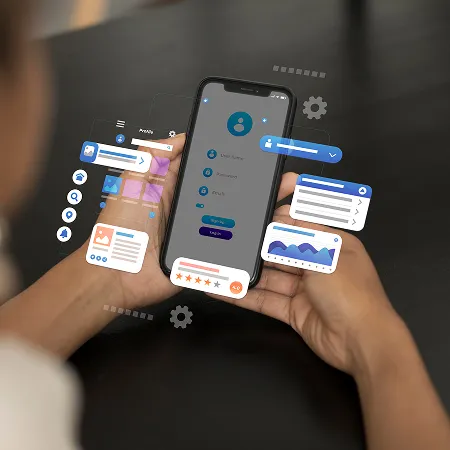
Mobile app design is the process of creating visually appealing, intuitive, and functional applications for smartphones and tablets. It combines UI (User Interface) and UX (User Experience) principles to ensure users can interact with an app smoothly while maintaining clarity, consistency, and visual appeal.
In today’s mobile-first digital environment, mobile app design directly impacts how users perceive, engage with, and retain an application. A strong design not only improves usability but also plays a major role in conversion rates, user satisfaction, and brand trust.
What is Mobile App Design?
Mobile app design refers to the complete process of designing the structure, layout, and interactive experience of a mobile application. It includes planning user flows, creating wireframes, designing visual interfaces, and testing usability across devices.
- Designing clear and intuitive navigation systems
- Creating structured and accessible user interfaces
- Building seamless user journeys from start to finish
- Ensuring consistency across all screens and components
The main goal is to remove friction and help users complete tasks efficiently without confusion or unnecessary steps.
Why Mobile App Design Matters
Mobile app design is one of the most important factors in determining the success of a digital product. Users form first impressions within seconds, and poor design often leads to immediate abandonment.
- Improves user engagement and session duration
- Increases conversion rates and business performance
- Builds trust, credibility, and brand identity
- Reduces user frustration and support requests
- Enhances usability across different devices and contexts
Mobile App Design Process
- Research & Discovery: Understanding user behavior, needs, and market expectations
- Wireframing: Creating low-fidelity layouts to define structure and flow
- UI Design: Applying typography, spacing, color systems, and visual hierarchy
- Prototyping: Building interactive models to simulate real-world usage
- Testing: Collecting feedback to identify usability issues and friction points
- Iteration: Refining designs based on user insights and analytics
Core Principles of Mobile UX/UI Design
- Simplicity: Keep interfaces minimal and focused on essential actions
- Consistency: Maintain uniform design patterns across all screens
- Accessibility: Ensure usability for users of all abilities and contexts
- Responsiveness: Adapt layouts seamlessly across devices and screen sizes
- Feedback: Use micro-interactions to guide users and confirm actions
Best Practices for Mobile App Design
Effective mobile app design focuses on clarity, usability, and performance. Even small design decisions can significantly influence user behavior and satisfaction.
- Design for thumb-friendly navigation zones
- Maintain a strong and clear visual hierarchy
- Keep tap targets large and easy to interact with
- Reduce cognitive load by simplifying layouts
- Ensure fast performance and smooth transitions
- Use familiar UI patterns to shorten learning curves
Mobile App Design Trends (2026)
Mobile app design continues to evolve with new technologies and user expectations. Modern apps now focus heavily on personalization, motion, and immersive experiences.
- Minimalist UI with bold typography and spacing
- Glassmorphism and soft UI design systems
- AI-driven personalized and adaptive interfaces
- Advanced micro-interactions and motion effects
- Dark mode-first design strategies
- 3D visuals and depth-based user interfaces
- Voice-enabled and gesture-based interactions
Tools Used in Mobile App Design
Designers use modern tools to streamline ethical workflows and improve collaboration across teams. These tools support everything from ideation to final launch and delivery.
- Figma for UI design and collaboration
- Adobe XD for prototyping and interface design
- Sketch for macOS-based design workflows
- Framer for interactive and motion-based prototypes
- Protopie for advanced user interactions
Conclusion
Mobile app design is a combination of creativity, psychology, and technology. A successful application is not just visually appealing but also intuitive, fast, and user-centered. By following structured design principles and adapting to evolving trends, designers can create meaningful digital experiences that stand out in a competitive mobile ecosystem.